




Your brand
Logo, two colors, contact details and the proof you choose: credentials, badges, a featured review, stats.
Brightwell Home Co.#12324A#FFB547
The human layer for customer communication
Put a real face behind every introduction, appointment, follow-up and customer moment. VideoIntros asks the right person on your team for a short personal video, delivers it on a page that carries your brand, and shows you who watched.
Maya Bennett, an agent at the sample company Alder & Finch Realty, records a short video in the VideoIntros recorder, which asks her for a quick wave. That wave becomes the animated preview that arrives in a message: “Alder & Finch Realty: Maya recorded a quick video for you: app.videointros.com/alder-finch/v/…” Opening it shows Maya’s video on a page in the company’s brand, with her profile, credentials, a review and contact details.
Alder & Finch Realty: Maya recorded a quick video for you:
app.videointros.com/alder-finch/v/…
See it in action
Follow one appointment from the moment it is booked to the moment the customer knows who is coming. Every screen is the working product, shown with sample people.
A showing is booked for tomorrow at 2:00 PM. That moment becomes a request for one short video.
Jessica, the VideoIntros assistant, texts Morgan, the agent on the appointment, a personal recording link. Nobody has to remember to do it.
Morgan opens the link on a phone. There is no app to install. The words sit by the lens, and a retake is one tap away.
Jordan gets a message with an animated preview of Morgan waving, and a link to the full video.
The video plays on a page with your logo and colors, the agent’s profile, what to expect and your proof. This is the real page.
Jessica texts Morgan the moment Jordan opens the video and again when Jordan watches it all. When Jordan taps Call or Text, it goes straight to Morgan.
Tuesday, October 6
9:41
Showing with Jordan
Tomorrow at 2:00 PM · Alder & Finch Realty
Alder & Finch Realty: Record a quick Video Intro for Jordan (tomorrow at 2:00 PM): app.videointros.com/alder-finch/r/…

Alder & Finch Realty: Morgan recorded a quick video for you: app.videointros.com/alder-finch/v/…
Jordan opened your Video Intro. 👀
Jordan watched the whole thing. 🔥
Source: Wyzowl, State of Video Marketing 2026. Survey of 266 marketing professionals and online consumers, conducted in late 2025. These figures describe video in general. They are not measurements of VideoIntros.
VideoIntros turns that behavior into a repeatable customer experience.
How it works
VideoIntros is not a recorder. It knows when a human video should happen, asks the right person for it, delivers it in your brand and tells you what happened next.
The full walkthrough01
A lead arrives, an appointment is booked, an offer changes or a customer reaches a milestone.
02
VideoIntros asks the professional assigned to that customer for a short personal video. The words are on screen and it takes about 15 seconds.
03
The customer receives a page in your brand with the person who is actually serving them, what to expect, and the proof you choose to show.
04
Opens, plays, watch progress and taps are measured for every video, and Jessica tells you as they happen. Nothing is estimated.
Accurate. On time. From nobody.
Alder & Finch Realty: Morgan recorded a quick video for you: app.videointros.com/alder-finch/v/…
The same workflow. The same timing. A person the customer will recognize at the door.
The enemy is not automation. It is the faceless message. Keep the workflow automatic, and let a person carry it.
Meet Jessica
Jessica lives in your text messages. Tell her what you need and she gets it done, from building your profile to sending Video Intros and telling you who’s watching.
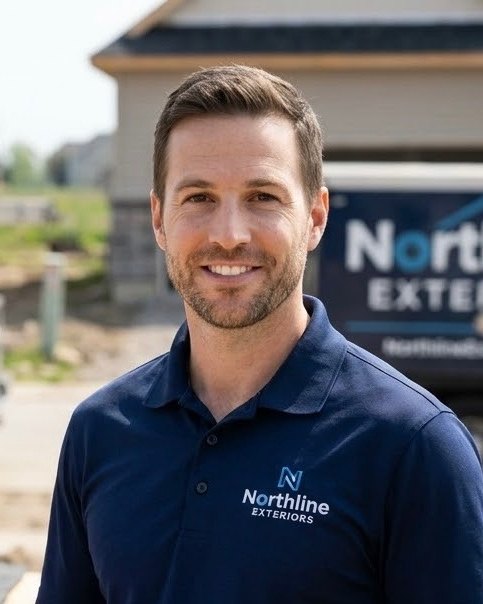
A demonstration. Marcus, Northline Exteriors and their clients are fictional, and so are the numbers. Jessica’s messages are the ones the product sends.
The actual product
These are the working screens, rendered by the product itself. Only the people and companies are made up.
Who it is for
If a customer is about to deal with a person, that person should arrive first. Real estate and home services have ready-made presets today. The same pattern fits every moment below.
Explore industries
A showing is booked
“Hi Jordan, it’s Morgan. I’ll meet you at the property tomorrow at 2:00 and walk it with you.”

An in-home estimate is scheduled
“Hi Jordan, I’m Sam. I’m the one coming to your door tomorrow. I’ll take a look and walk you through your options.”

A policy review is on the calendar
“Hi Jordan, it’s Dana. Before we talk Thursday, here’s what I’ll bring and what I’ll ask you.”

A test drive is confirmed
“Hi Jordan, I’m Chris. The car you asked about will be out front and ready when you get here.”

A first visit is booked
“Hi Jordan, I’m Priya at the front desk. Here’s where to park and who you’ll meet first.”

A discovery meeting is set
“Hi Jordan, I’m Alex. Our first conversation is about your goals. There’s nothing to prepare.”

A consultation is scheduled
“Hi Jordan, I’m Taylor. I’ll be the one on your consultation, and here’s how the hour will go.”

A proposal is sent
“Hi Jordan, it’s Robin. I just sent the proposal. Here’s the one page I’d read first.”

A first appointment is booked
“Hi Jordan, I’m Jamie. I’ll be taking care of you on Saturday. Bring a photo of what you have in mind.”

A stay or event is coming up
“Hi Jordan, I’m Casey. I’ll be at the desk when you arrive on Friday.”

A campus visit is scheduled
“Hi Jordan, I’m Sky from admissions. I’ll meet your family at the front gate at ten.”

An interview is set
“Hi Jordan, it’s Lee. You’re meeting the hiring manager Tuesday. Here’s what they care about.”

A new account is handed over
“Hi Jordan, I’m Avery, your point of contact from here on. Kickoff is Monday.”

A demo is booked
“Hi Jordan, I’m Quinn. I read your note, and I’ll start Thursday’s demo with the workflow you described.”

A new customer books for the first time
“Hi Jordan, I’m Pat. I own the shop, and I’ll be the one helping you on Saturday.”
Touchpoints
A touchpoint is a moment you decide deserves a face. Each has its own script, its own page copy and its own context: an appointment, a status update, a milestone, or simply a personal message.
A new lead hears from a person first.
The customer knows who is coming.
News lands with a face, not a form letter.
The big moments get marked.
A check-in that sounds like one.
The relationship outlasts the sale.
What the customer sees
Three layers make every Video Intro. The organization sets the first once, each team member owns the second, and the touchpoint supplies the third.
Logo, two colors, contact details and the proof you choose: credentials, badges, a featured review, stats.
Name, title and photo, with their own phone, email, website, reviews link and social profiles.
Sam R.Kitchen & Bath SpecialistThe touchpoint says why the video exists, and sets the headline, the context line and what to expect.
A human customer experience.
Analytics
Your team talks to Jessica. Leadership sees the impact: who opened, who pressed play, who watched to the end, how long they stayed on the page and what they tapped. Measured on the page itself, never estimated.
Integration-ready
The moment should start the request. VideoIntros is architected for that: every request enters through one door that outside systems can use. Here is exactly what is live, and what is next.
An integration is listed as available here only once it is live.
FAQ
VideoIntros is a personalized video platform for businesses. It prompts a specific person on your team to record a short video for a specific customer at a specific moment, delivers it on a page that carries your brand, and measures whether it was opened and watched.
A moment happens, such as a booked appointment. VideoIntros asks the assigned professional to record a short video on their phone, with the words on screen. The customer receives a text with a link to a branded page where the video plays. You see whether it was opened and watched to the end.
Any business where a customer is about to deal with a person: real estate teams, home services companies, insurance agencies, dealerships, financial and legal practices, patient-services teams, recruiters, and B2B sales and customer success teams. Real estate and home services have ready-made touchpoint presets today.
No. It fits anyone a customer is about to meet or hear from: technicians, coordinators, advisors, account managers and owners. Sales is one moment among many.
Before a first meeting or appointment, when something changes (an offer, an estimate, a schedule), at a milestone, after a missed appointment, and as a thank-you. The best moments are the ones where a customer is waiting to find out who they are dealing with.
Not yet as a self-serve integration. Today, requests are created by your team inside VideoIntros. The platform is built so that outside systems can start a request, and connections to CRMs, lead sources and calendars are planned. An integration will be listed as available only once it is live.
Yes. Each person has a name, title and photo, and can have their own phone, email, website, Google reviews link and social profiles. When a personal detail is not set, the organization’s detail is shown instead.
Yes. The client page uses your logo and two brand colors. Readable text colors are chosen automatically, so light and dark brands both work. You also choose which sections appear and in what order. A small “Powered by VideoIntros” line sits at the bottom of the page.
For every video: whether the request was opened and recorded, whether the message was sent, whether the page was opened, whether the video started, watch progress at 25%, 50% and 75%, completion, and taps on the page’s links such as call, email, website and reviews. These are measured events, not estimates.
Fifteen seconds, by design. That is short enough to record between appointments and to watch the moment it arrives.
No. The video is delivered by text message. VideoIntros replaces the faceless part of the message, not the channel.
Yes. Touchpoints cover the whole relationship: appointments, updates, milestones, follow-ups and thank-yous. Each touchpoint has its own script and its own page copy.
No. The recorder and the client page both open in the phone’s browser from a link.
VideoIntros is in early access. Each organization is set up with our team directly; there is no self-service sign-up yet. You can request early access on this site.
Bring VideoIntros to your team. We set up each organization with you directly during early access.